Builds with sub-assemblies
Products, assemblies and kits each get their own BOM. Put a hopper assembly inside a feeder and its parts roll up automatically.
Free for any business
For shops that build the same thing more than once
Shop Inventory Manager turns a bill of materials into stock levels, order lists, a price model and ready-to-check-out carts on multiple supplier websites for every product, assembly or kit you build.
Sign in with your work email and start. The first person from your company sets it up; coworkers join automatically. No card, no request form.
How it works
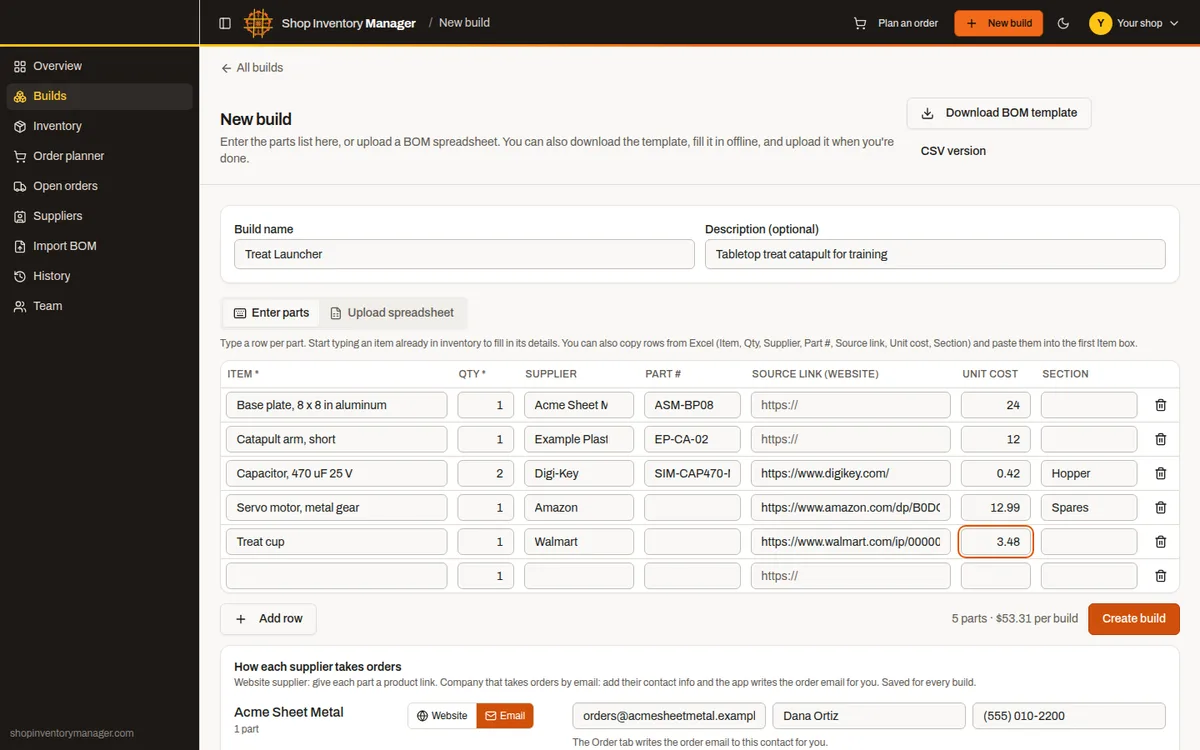
Type the parts in, paste rows straight from Excel, or upload the spreadsheet you already have. Item, quantity, supplier, part number and source link are all picked up. Prefer working offline? Download the BOM template, fill it in, and upload it when you're done.
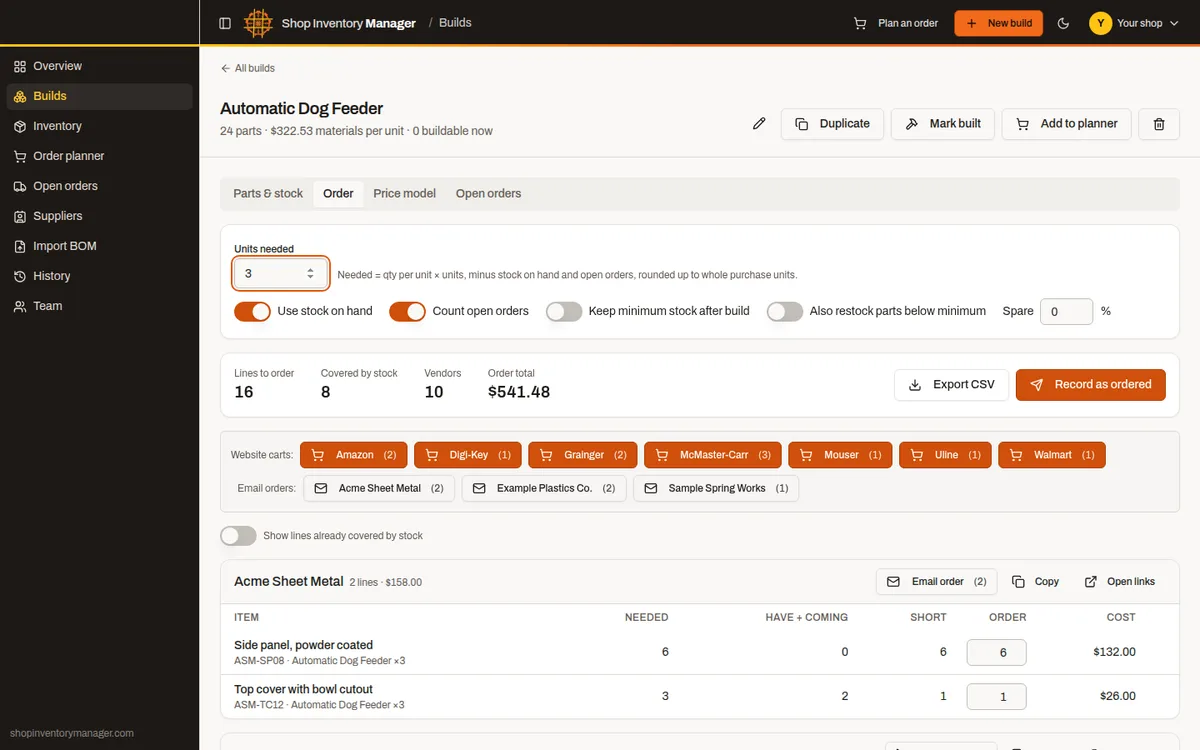
Enter 3 automatic dog feeders and the order list builds itself. It multiplies every line, subtracts stock on the shelf and parts already on order, rounds up to whole packs, and groups everything by vendor. Sub-assemblies, like the hopper assembly inside each feeder, are counted too.
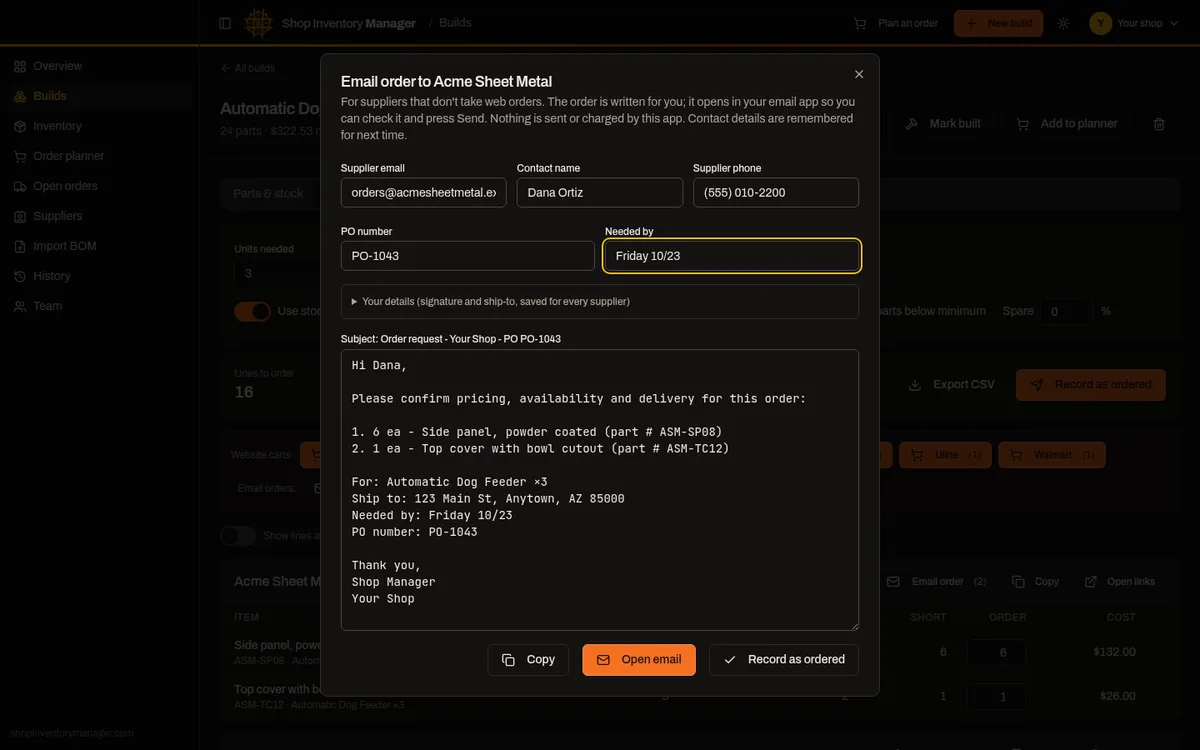
Each supplier website gets one button that fills your cart, any website works, from big online stores to a local supply house. Suppliers that take orders by email get the order email written for you from their saved contact info. Nothing is bought or charged by the app: you check out and press Send. Then record the order; parts show as on order until you receive them into stock.
Features
Products, assemblies and kits each get their own BOM. Put a hopper assembly inside a feeder and its parts roll up automatically.
A fitting used by three builds is stocked once. Set minimums and see what's running low on the overview.
Needed, have, coming, short and order quantities per line, rounded to pack sizes, with a spare-percentage option.
Plan several builds and kits together. Shared parts are added up before stock is subtracted.
Add any supplier website, like Home Depot or Walmart, and turn its lines into a ready cart. Suppliers without web ordering get an order email written for them.
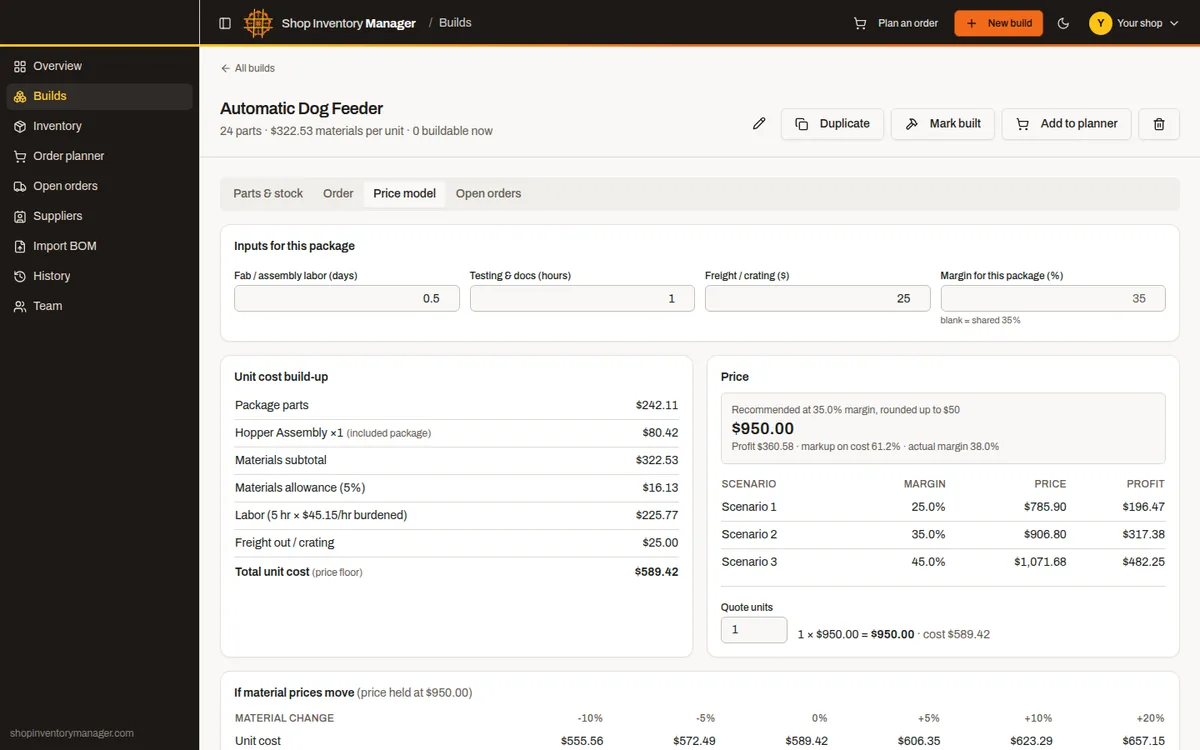
Materials, allowance, burdened labor and freight roll into a recommended price, with margin scenarios and material-price sensitivity.
Every recorded order by vendor, with PO numbers. Receive partial or full shipments; stock updates on its own.
Enter your work email and get a 6-digit code, no passwords. The first person from a company sets it up and becomes its admin; coworkers with the same email domain join automatically. Personal addresses such as Gmail or iCloud get a private workspace. Each company's inventory is kept in its own storage with daily backups. Free for any business.
Price model
Each build shows unit cost from parts, included packages, a materials allowance, labor at your burdened rate and freight. Pick a target margin and the app rounds the recommended price for you, then shows what happens if material prices move 10 or 20 percent.
Light and dark
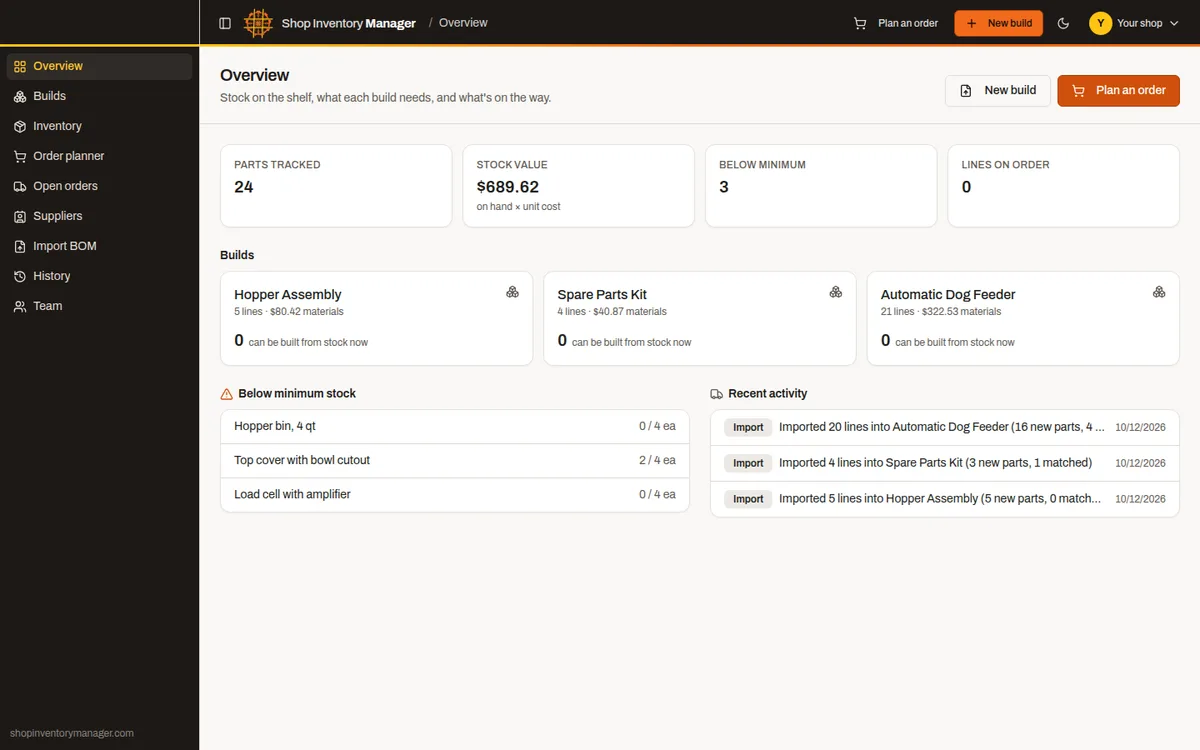
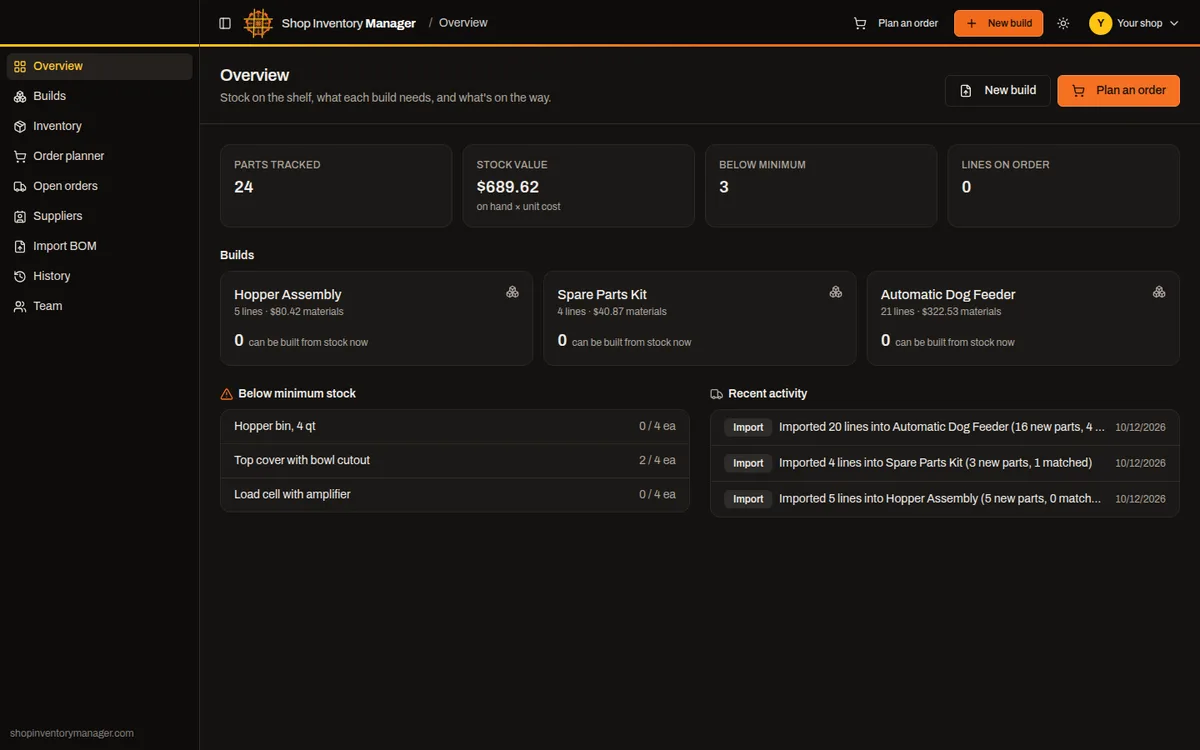
Start with a blank build or the BOM spreadsheet you already have. Free for any business.